How to Choose a Photo That Makes a Great Sketch
SketchWish team · September 11, 2026 · 4 min read
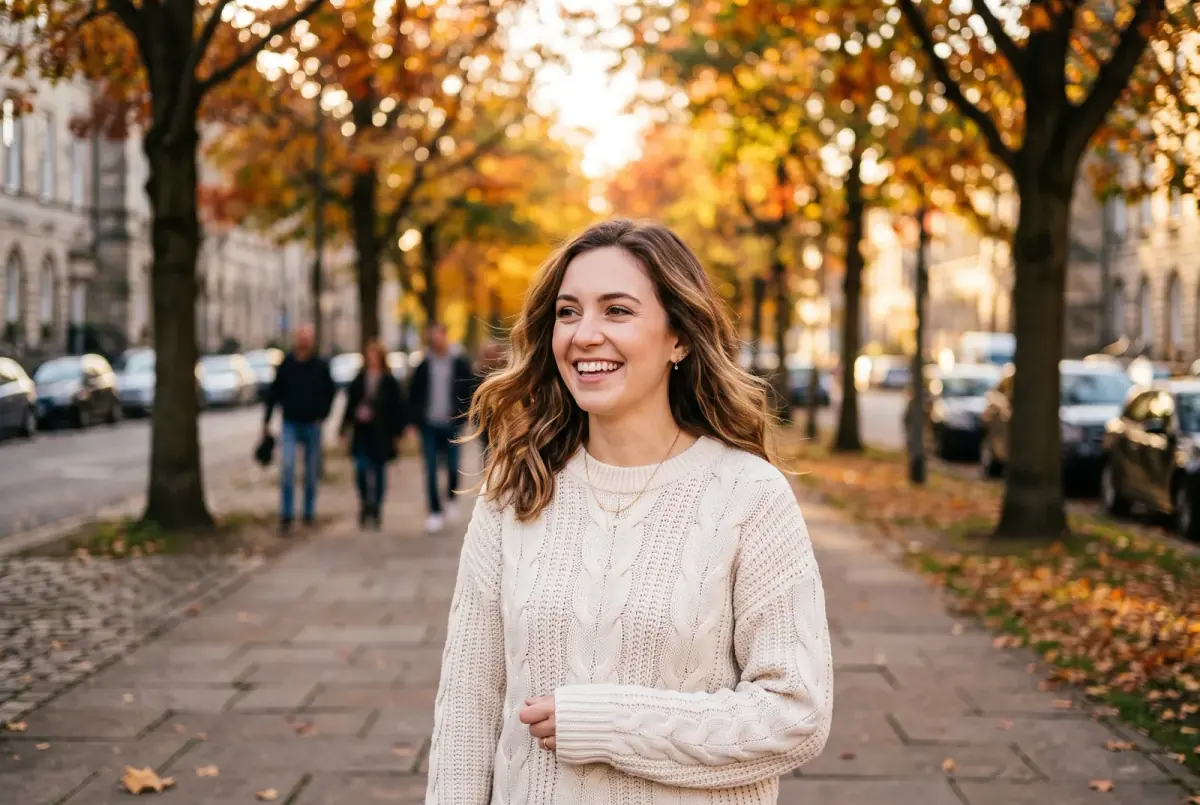
Photo
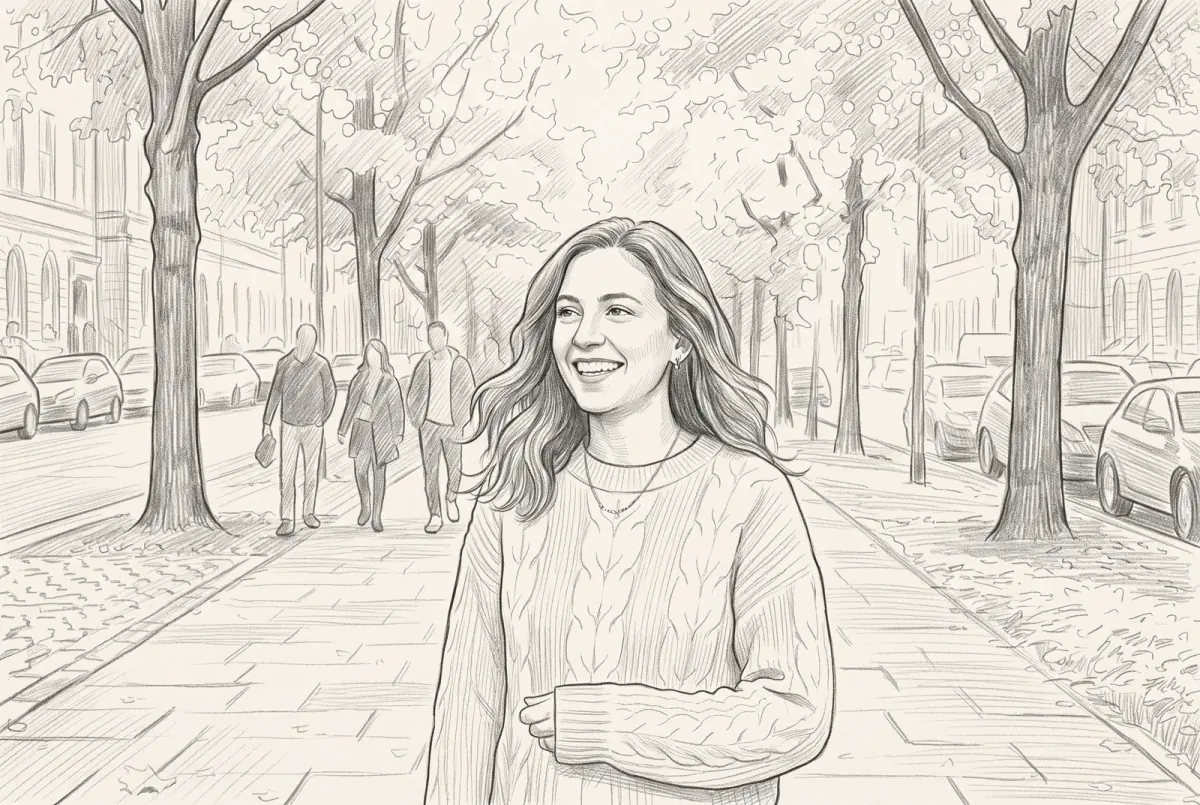
Sketch
When a sketch disappoints, the style is rarely the problem. Almost every time, it is the photo. A sketch works from what is in the picture, so if the eyes are soft, the light is harsh or the subject is tiny, the drawing inherits all of it.
The good news is that the fixes are simple, and most take seconds. This is the checklist we would give a friend before their first sketch.
The 30-second checklist
- The eyes are sharp. Zoom in and check.
- The light is soft and even. No harsh sun and no deep shadows across the face.
- The subject fills most of the frame. Crop away empty space.
- The background is simple, or you plan to use No BG.
- It is the original file, not a screenshot or a copy from a messaging app.
- No heavy filters. Beauty filters and strong color effects confuse the drawing.
If your photo passes all six, it will almost certainly sketch well. The rest of this guide explains why each one matters and what to do when a photo falls short.
Light
Light shapes everything in a sketch, because shading is simply light drawn in graphite or ink.
Soft light beats bright light
Open shade, an overcast day or a window to one side gives gentle shading that shows the shape of a face or an object. Direct midday sun creates hard shadows and blown-out highlights, and a sketch turns both into flat areas with no detail.
Watch for shadows on the face
Hats, caps and overhead lights throw shadows across the eyes. Because the eyes carry most of the life in a portrait, shadowed eyes can make an otherwise good sketch look flat.
Dark subjects need more light
Black dogs, dark cars and dark clothing lose their detail in dim light and turn into silhouettes. Photograph them in brighter conditions than you think you need.
Avoid strong backlight
A bright window or a sunset behind your subject leaves their face in shadow. Turn around so the light falls on them instead.
Focus and resolution
Sharpness matters most in one place: the eyes, or for objects, the main edges. Some softness elsewhere is fine, since a sketch is not a photograph.
- Motion blur is the one thing a sketch cannot fix. Smeared features stay smeared.
- Film grain and noise are fine. Old photos and low-light phone pictures often sketch surprisingly well.
- Compression is the hidden problem. Photos sent through messaging apps or saved from social media lose a lot of detail. Use the original from the camera or phone whenever you can.
- Scan old prints properly. 600 dpi is a good target, or photograph the print lying flat in daylight without glare.
Framing
The more of the picture your subject fills, the more detail survives. Before you upload, crop away empty sky, floor and background.
- Portraits: head and shoulders is ideal.
- Pets: get down to their eye level and fill the frame with the face.
- Groups: the tighter the group, the better. Twenty people in three rows leaves each face very little of the picture.
- Cars and buildings: step back and zoom in slightly to avoid distortion, then crop tight.
Backgrounds
Everything in the photo ends up in the sketch. A plain wall, open sky or a simple garden makes the subject stand out. A cluttered room, a crowd or a busy street competes with it.
If you love a photo with a busy background, you have two options: crop in tighter, or choose the No BG style, which removes the background and keeps only the main subject on white.
Filters and edits
Beauty filters smooth away the texture a sketch needs, and heavy color effects distort the tones it uses for shading. Start from the plain, unfiltered photo. Stickers and text added on top are best removed too.
Photo
Sketch
Matching the photo to a style
Some styles suit some photos better than others. As a starting point:
- Faces and portraits: Pencil Sketch for a classic look, Charcoal Sketch for drama, Figure sketch for a loose, artistic feel.
- Pets: Pencil Sketch for fur detail, Charcoal Sketch for dark coats, Clean Line Art for a calm, simple look.
- Buildings, cars and bikes: Pencil Sketch for precision, Ink sketch for energy.
- Anything where color matters: Watercolor Sketch or Colored Pencil.
- Printing on products: No BG, which isolates the subject on white.
- Coloring pages: Clean Line Art, or Simplified Art for bolder lines.
New accounts start with 3 free credits and each sketch uses one, so it is easy to try the same photo in two styles and compare.
When a sketch comes out wrong
The eyes look lifeless
The photo probably had no catchlight, the small reflection that makes eyes look alive. Choose a photo taken facing a window or in open shade.
The face is too dark or muddy
The original was underexposed or backlit. Pick a brighter photo, or brighten it in any photo app before you upload.
The sketch is busy and cluttered
The background is competing with the subject. Crop tighter, switch to No BG, or try Minimal Sketch, which reduces backgrounds to simple outlines.
Lines look broken or smudged
The source was probably compressed or low resolution. Find the original file, or a larger copy.
Resolution and printing
Free sketches are made at 1K with a watermark. That is plenty for screens, profile pictures and small prints. Paid packs remove the watermark and unlock:
- 2K, sharp at common frame sizes up to about 8x10 inches.
- 4K, for larger prints and posters.
Packs start at $5 for 25 credits, and credits never expire.